
How to set the agency logo to display your brand on Email notifications and contract PDFs
Quick Links
Benefits of setting an agency logo
When tenants receive a rent notification Email or a contract PDF upon signing, it displays your company's own logo and stamp instead of the RentPackage logo. Your brand is consistently presented, making your company image more professional and complete.
You only need to upload the image once. Every notification sent and contract generated by the system will automatically apply your logo, no need to manually add it each time.
Purpose of the three image types
The system provides three image settings. You can choose to upload according to your needs or configure all three:
- Trademark: Your company's logo. Appears on contract PDFs and Email notifications, serving as the most frequently seen brand identifier by tenants.
- Banner: Horizontal image suitable for wide designs including the full company name and logo.
- Stamp: Image file of company seal or stamp. Once applied to the contract template, the signed contract PDF will include your company seal, similar to a paper stamp.
How to Upload LOGO?
Click the gear icon at the top right, then go to:Settings → Organization Info
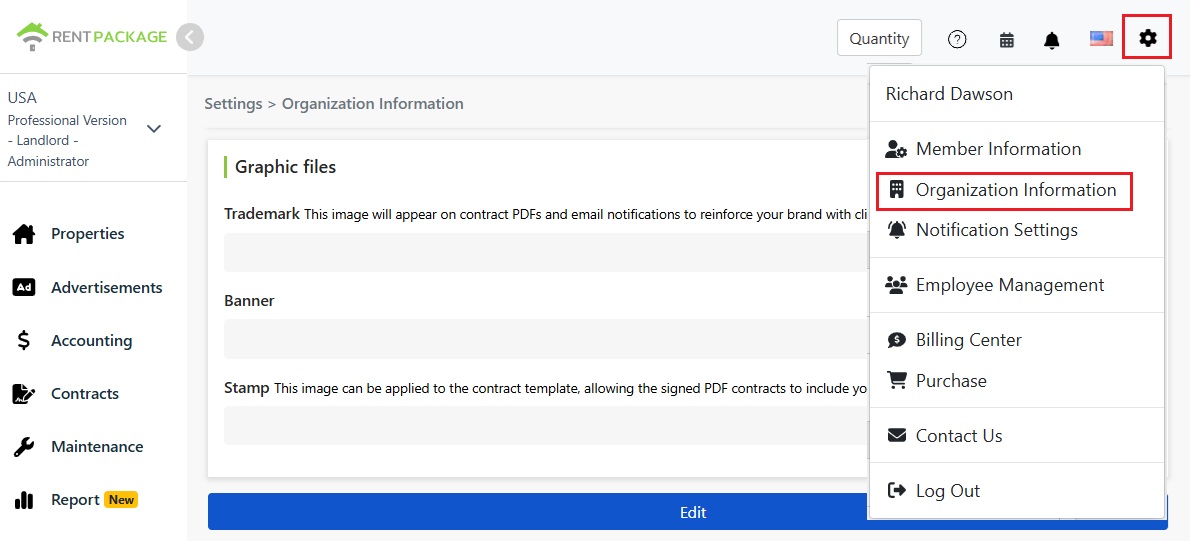
Click the Edit button below the image file section to access the upload screen. Click Upload Image in each field to select a file from your computer.
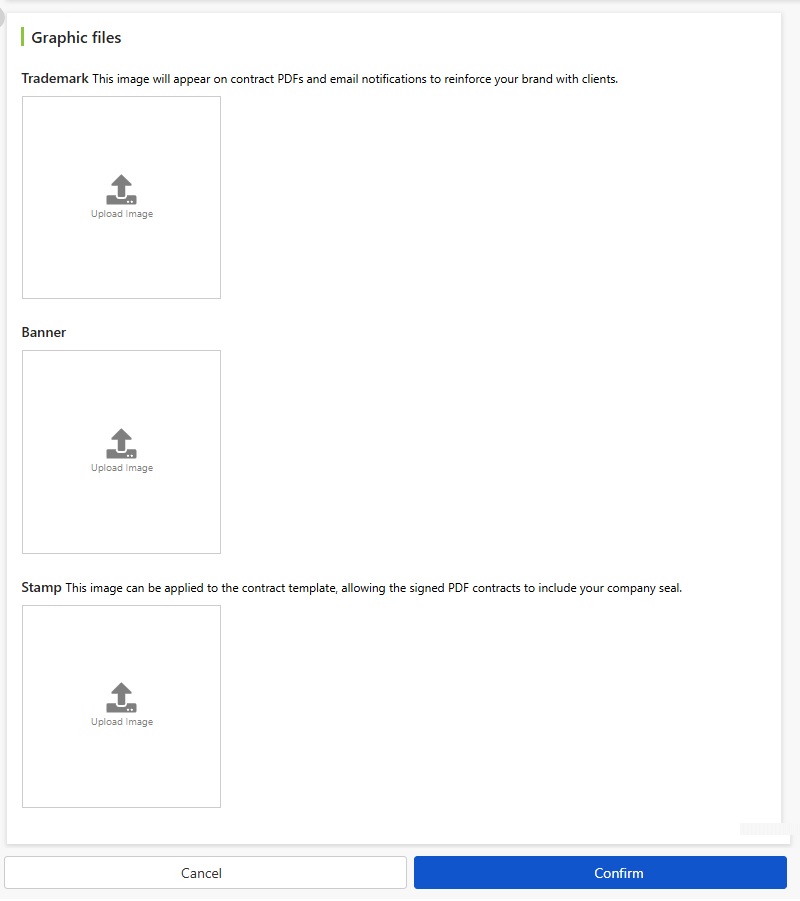
After uploading, click Confirm to save settings. Changes take effect immediately, and the system-generated Emails and contract PDFs will automatically apply the updates.
Where Will the LOGO Appear?
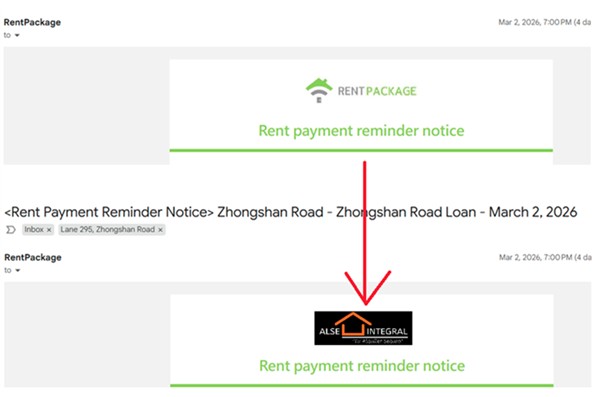
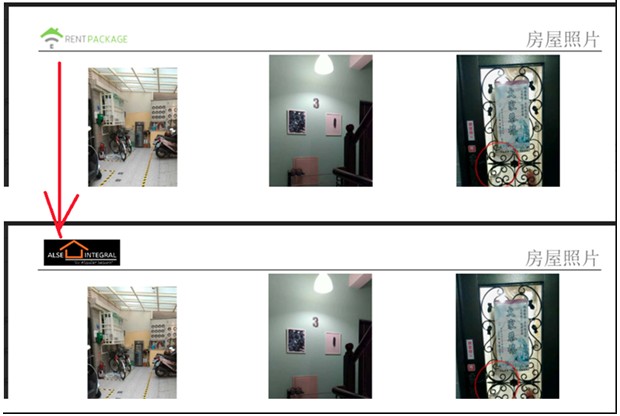
Once set up, your brand will appear in places tenants interact with. Below are examples of before (RentPackage LOGO) and after (your company's LOGO) settings:
- Email Notices: Notifications sent to tenants (e.g., payment notices, contract notices) will feature your brand.
- Contract PDF: The contract PDF generated at signing will display your trademark.
- Contract Stamping: After applying the seal image to the contract template, the signed PDF contract will include your company seal.
If your company logo is updated later, simply return to the same screen to re-upload, and the newly generated documents will automatically use the updated logo.