
Advance Receipts feature guide
Advance Receipts quick tour
- Why should landlords collect advance electricity payments from tenants?
- Nature of advance receipts
- prepaid account ledger = petty cash system
- How it works in the system
- How it works in the system > Set advance receipts when creating a contract
- How it works in the system > Advance Receipts Ledger search and settlement
- How it works in the system > Add income to the ledger
- How it works in the system > mark as received function: offset electricity fee
- Summary
Why should landlords collect advance electricity payments from tenants?
To avoid monthly rent collection and meter readings, many landlords collect 6 or 12 months of rent upfront and read meters every 6 or 12 months. But that means the landlord fronts the electricity costs.
for example, if each tenant’s monthly electricity fee is $500, a landlord with 20 tenants would need to advance $60,000 over six months, creating cash flow pressure. to avoid this, the landlord collects a “prepaid electricity fee” from tenants in advance.
Nature of advance receipts
Advance receipts are not rent and differ from deposits. They are a landlord liability, but are gradually used to offset utilities and other charges. To manage these funds, we provide an Advance Receipts Ledger.
Advance Receipts Ledger: like a petty cash system
For easier management, our Advance Receipts Ledger works like a “petty cash” model:
- Every advance receipt goes into the same ledger
- When the ledger balance is used up or needs clearing, you can “Settle Ledger” in the system
- After settlement, you can refund any remaining balance to the tenant, or auto-create a new ledger to keep recording new advances and deductions
This keeps accounting clear, simplifies future bookkeeping and reconciliation, and ensures each tenant’s electricity is deducted from their own advances without mix-ups.
How it works in the system
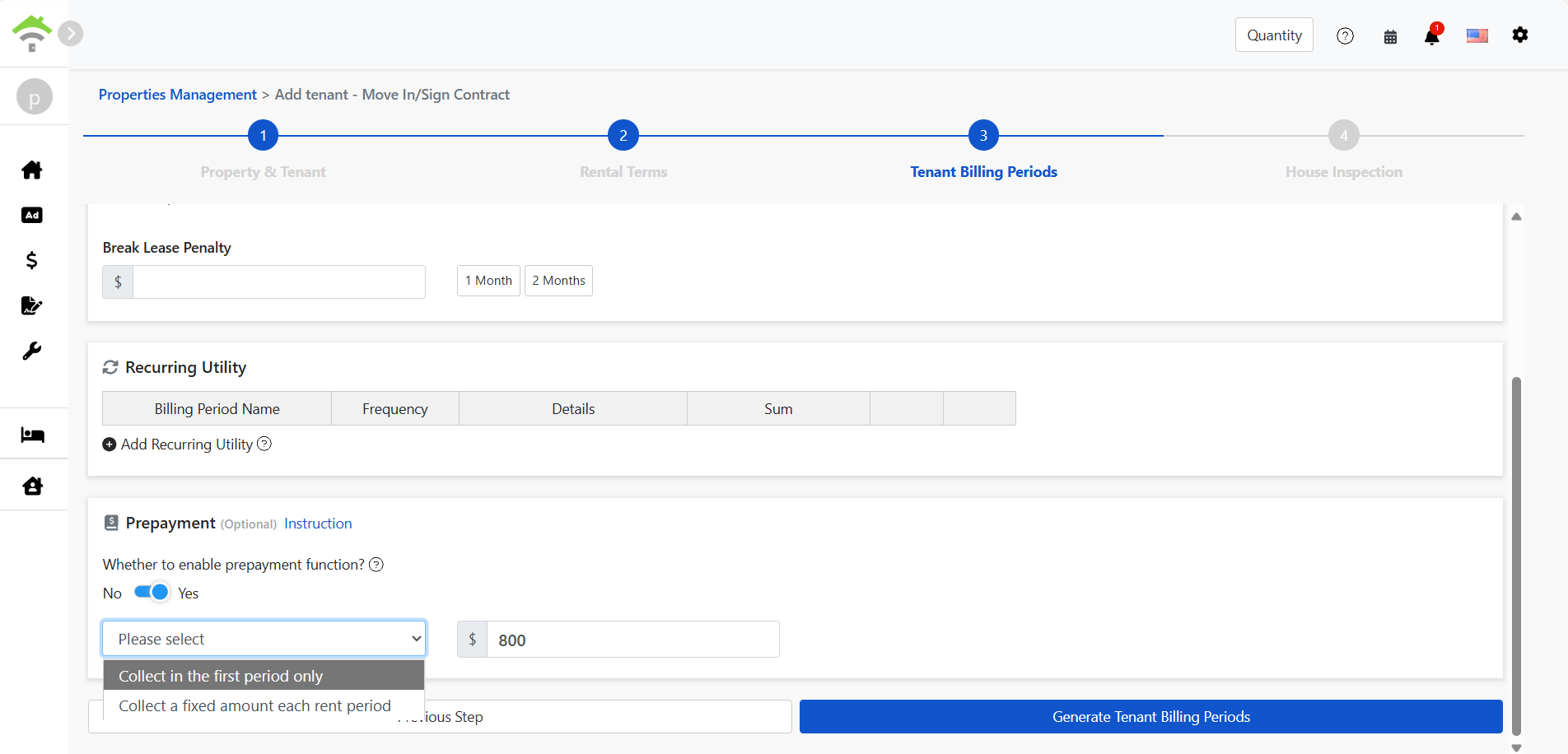
1️⃣ Set advance receipts when creating a contract
Choose “Collect in first period” or “Collect each period.”
2️⃣ Advance Receipts Ledger search and settlement
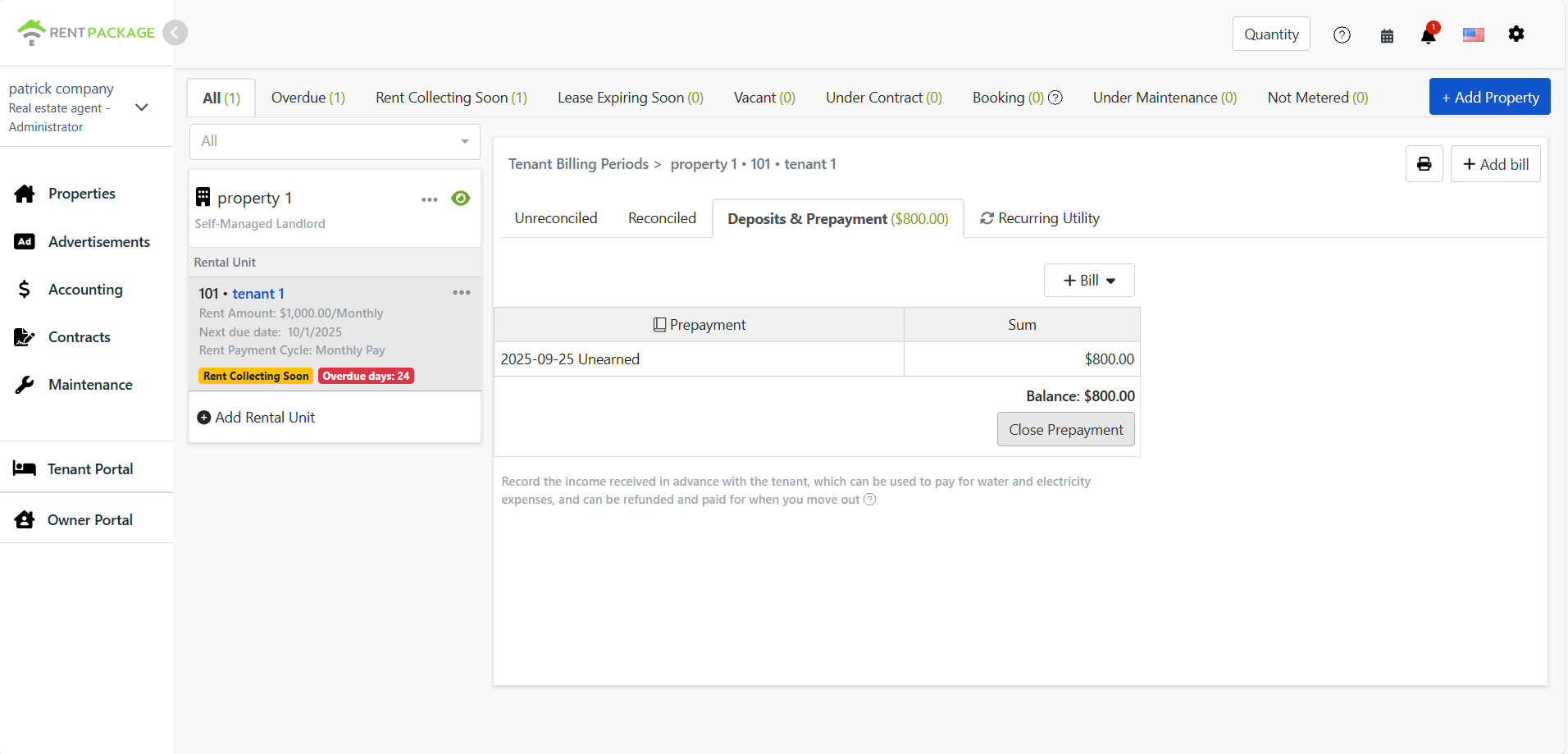
After the contract is created, go to Tenant Billing Periods → Deposit & Advance Receipts tab to see the ledger. Click Settle Ledger to choose which ledger to settle to, specify what expense category it pays, and move any remainder to a new Advance Receipts Ledger.
3️⃣ Add income to the ledger
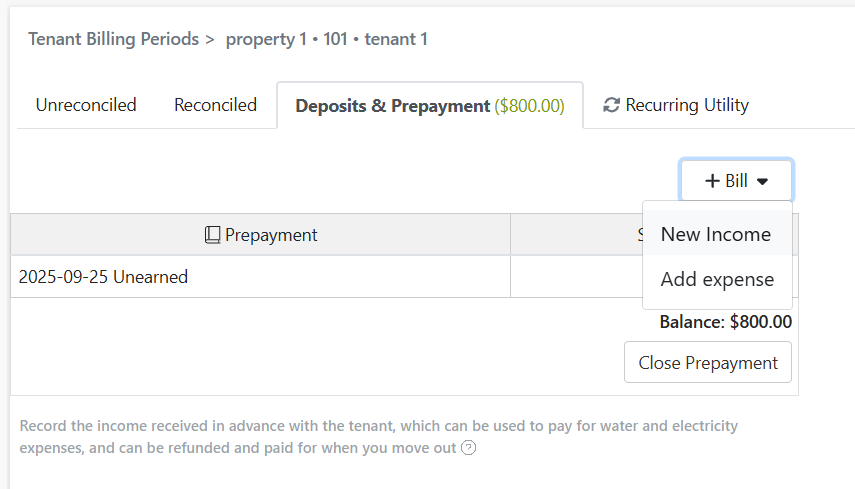
You can also manually add income in Tenant Billing Periods to deposit extra funds into the ledger.
4️⃣ Mark as Received: use advance receipts to offset electricity
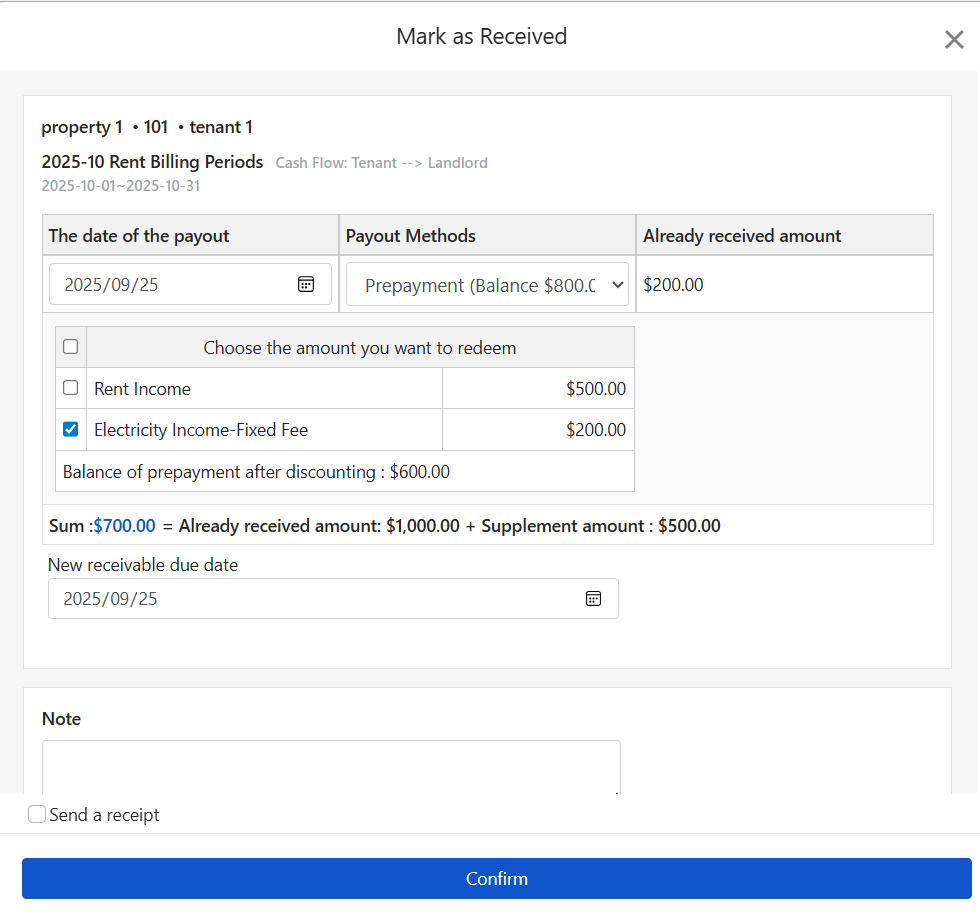
in the 'tenant billing cycle → mark as received' function, you can select 'prepaid account' as the payment method, choose the items to offset (e.g., fixed electricity fees), and the system will automatically deduct the expenses from the prepaid account ledger.
Summary
With the Advance Receipts Ledger, landlords no longer need to front utility bills. Clear books, flexible operations, easy reconciliation—the best solution for long-term rentals and multi-tenant management!