
 Support
RentPackage Free Rental Listings: Landlords and Agents List Vacant Units Directly, with Photos, Viewing Videos and Tenant Inquiries in One Place
Contents
Why list rentals with RentPackage
Every month a unit sits empty is a month of rent you don't collect. Listing on a separate site means typing the address, rent and room type all over again, and tenant inquiries end up scattered across phone calls, messages and Email.
- Property details filled in for you
Create a listing from a unit and the address, rent, deposit, room type and area are filled in automatically. No retyping. - Free listings
Each unit can have one listing. - Photos and viewing videos
Add up to 15 photos and one YouTube viewing video, so tenants can look online first and you make fewer trips. - Tenants contact you directly
Your phone number is on the listing, and tenants can also send an inquiry by Email, which goes to the person in charge of the listing. - Listings reopen automatically when a unit is vacant
After a tenant moves out and the settlement is confirmed, the system reopens the listing for that unit.
Two kinds of listings: My Ads and Company Advertising
Choose one based on who manages the property:
| My Ads | Company Advertising (property management) | |
|---|---|---|
| For | Personal listings, such as a home you rent out yourself | Units your company manages (self-managed, managed for owners, sublet) |
| Where | [Advertisements] > [My Ads] | The unit's [More Actions] > [Add Advertisement], or [Advertisements] > [Company Advertising] |
| Cost | Currently free | Currently free, one listing per unit |
Rent-only listings are counted separately; see the Rent-only management article.
How to create a listing
- Open the unit's [More Actions] and press [Add Advertisement] (for a personal listing, go to [Advertisements] > [My Ads] and press add).
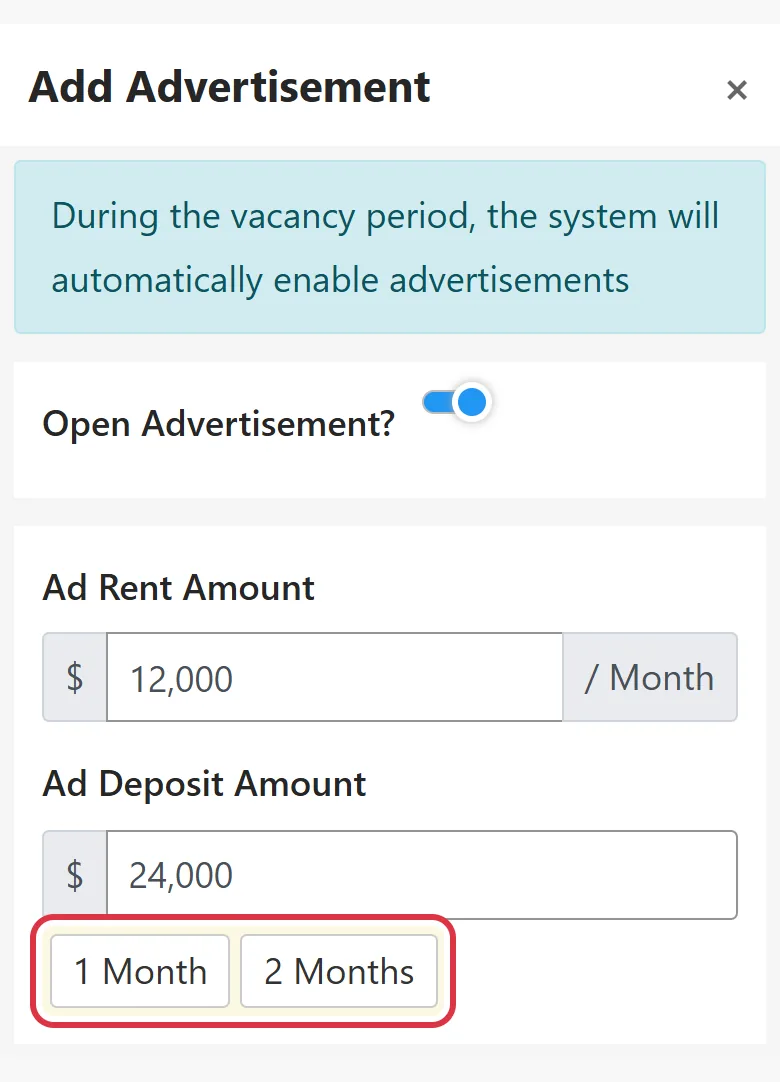
- Check the rent, deposit, address and room type that were filled in. Press [1 Month] or [2 Months] to fill in the deposit quickly.
- Write a headline, for example "5 minutes to the metro, newly renovated and bright". You can save it as a template and reuse it next time.
- Write the description: how utilities are charged, the neighborhood, nearby amenities and who the place suits.
- Upload photos (up to 15) and paste a YouTube viewing video link.
- Make sure [Open Advertisement] is on, then press save.
Where your listing is seen
- [Search Advertisement] on RentPackage: tenants search by country, area, rent, room type and size, or look for homes within a few kilometers of a location.
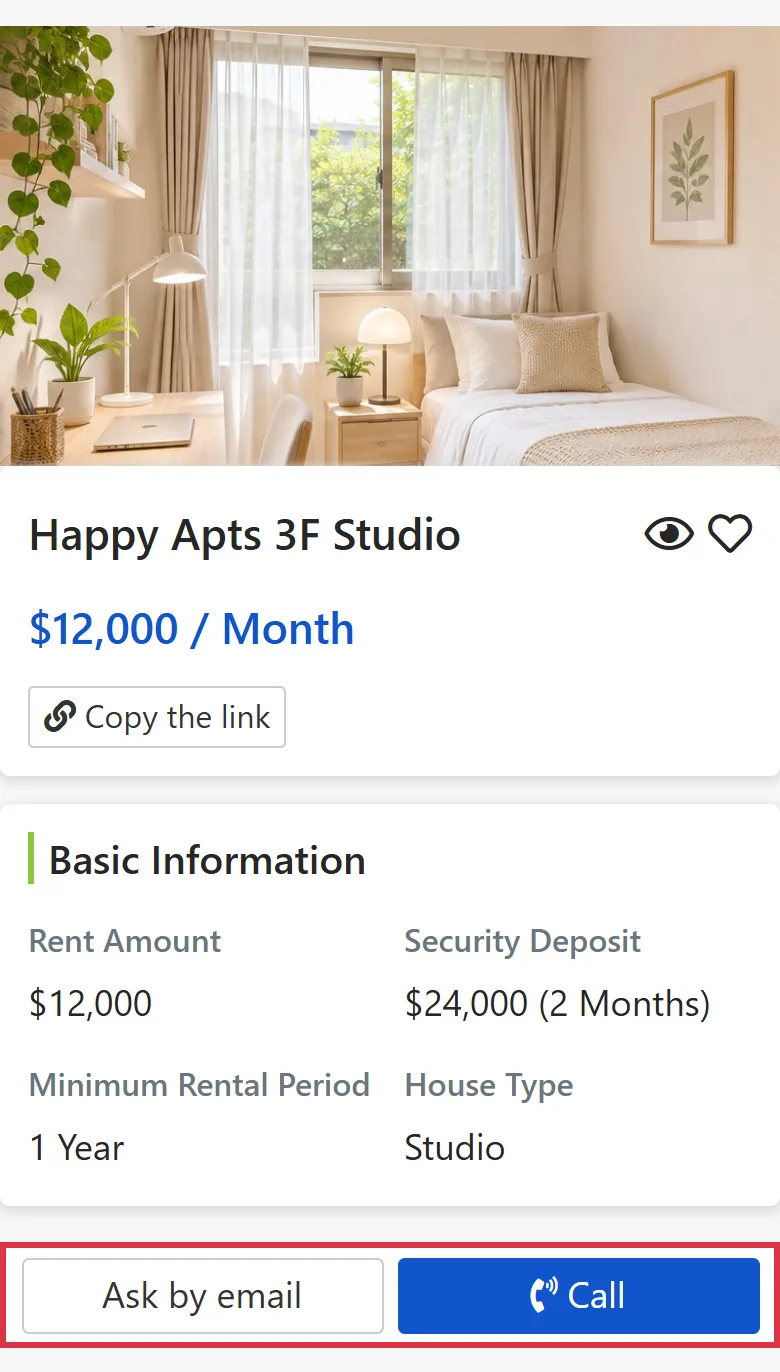
- Press [Copy the link] to share the listing on LINE, Facebook or WhatsApp.
- Listing pages are indexed by search engines such as Google.
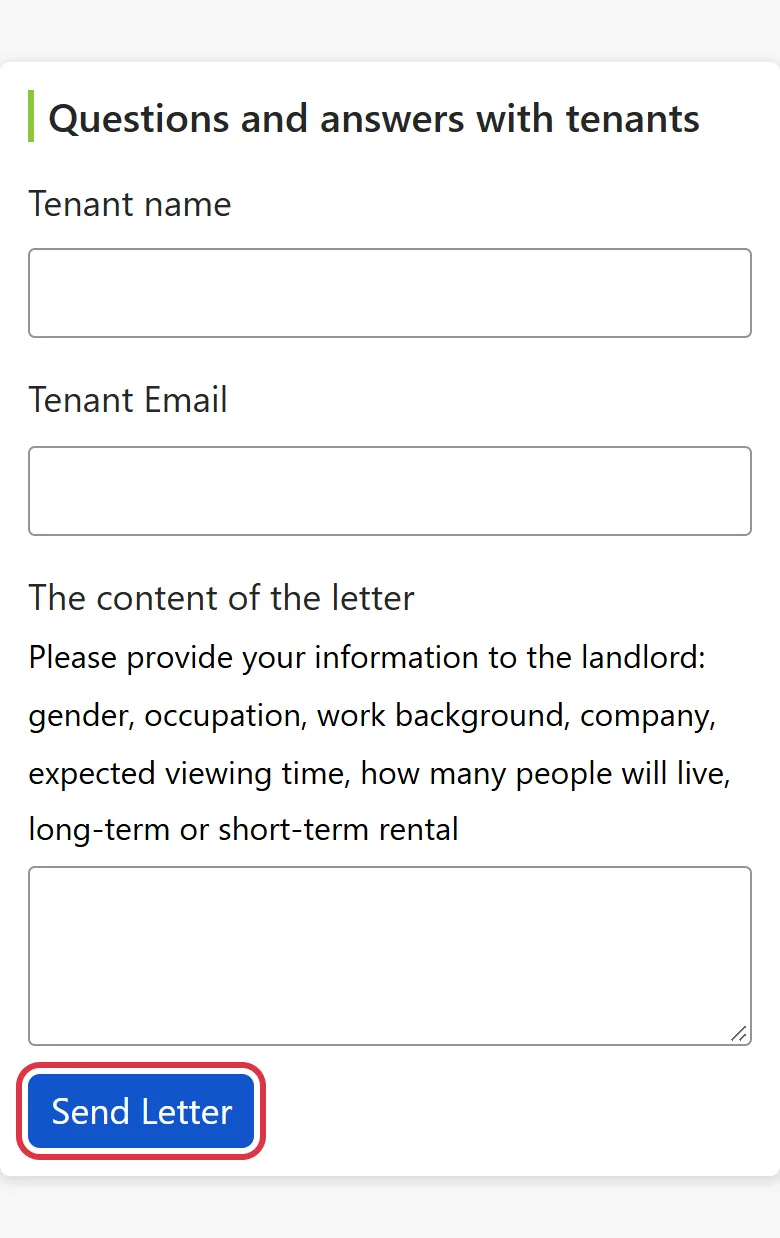
On the listing page, tenants can press [Call] or send an inquiry with their name, Email and message. Personal listings go to you; company listings go to the person in charge of the listing.
Managing listings
Listings are shown separately as open or closed, and you can edit, close, reopen or delete them. After a tenant signs, the system asks whether to close the listing; after a tenant moves out and the settlement is confirmed, the system reopens it automatically.
What tenants see
Once logged in, tenants can add listings they like to [My favorites] or hide listings they don't want to see, so those no longer appear in their searches.
FAQ
Does listing cost anything?
Listing is currently free, with one listing per unit. Plans may change; see the pricing page for current details.
If I change the property's rent, does the listing update too?
No. Property details are only filled in when the listing is created. After that, open the listing and edit it.
Why does the system ask me to create a listing before move-out and settlement?
To help vacant units rent faster. If a unit has no listing yet, the system asks you to spend about 2 minutes filling in the basic listing information.
Do listings expire?
Listings themselves have no expiry date. Once the company's plan expires, company listings no longer appear in search results.
Summary
With your current approach, every vacancy means finding another place to list and typing everything in again, while tenant inquiries are scattered everywhere. With RentPackage, property details are filled in for you, inquiries go straight to the person in charge, and the listing even reopens automatically when a tenant moves out.
Start by creating a listing for one vacant unit and adding a few photos.
Start free trialRelated articles
- RentPackage Leasing-Only Management: Find Tenants for Landlords and Handle Listings, Bookings, Signing and Commissions in One Place:Agents find tenants for owners and manage listings, bookings, signing and commissions in one place.
- RentPackage Move-out Settlement and Move-out Checklist: When a Tenant Moves Out, Rent, Utilities, Deposit and Owner Management Fees Calculated for Landlords and Property Managers, Signed Online on Handover Day:After a tenant moves out and the settlement is confirmed, the unit's listing reopens automatically.
- RentPackage Booking for Landlords and Agents: Take a Holding Deposit to Reserve the Unit and Avoid Double-Letting:When a tenant likes a unit, collect a booking deposit to hold it and avoid renting it twice.