
How to Use Profit Calculation in RentPackage to Track Actual Profit for Owners and Company
Quick Links
1. What is Profit Calculation?
Received money isn't the same as profit—rent may include deposits or prepayments that are refundable or belong to future periods. Profit Calculation separates these from actual profit, showing your true earnings.
Profit Calculation offers two tabs:
- Owner Profit Calculation: Calculates income, expenses, and actual profit for the property owner, unit by unit.
- Company Profit Calculation: Calculate the profitability of agencies and property management companies.
2. Enable Profit Calculation
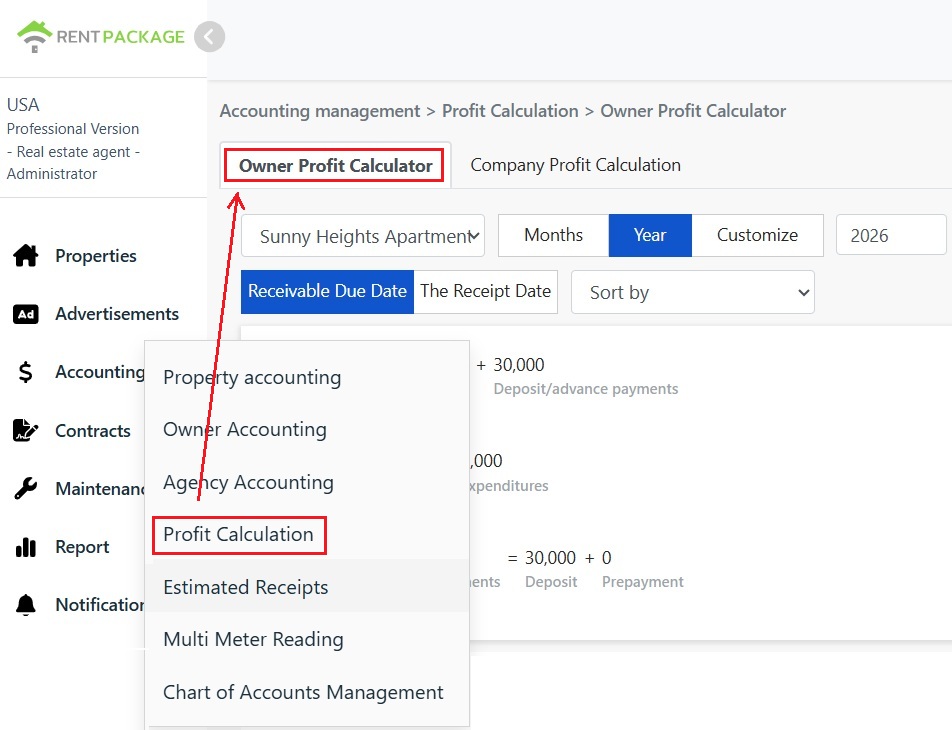
Go to the left menu and select '[ Accounting ]' → '[ Profit Calculation ]'. You can switch between the '[ Owner Profit Calculation ]' and '[ Company Profit Calculation ]' tabs at the top.
3. Filter Criteria Explained
The top of the page provides the following filters to view profits from different perspectives:
- Property: Select the property to view.
- Period: View by 'Month', 'Year', or specify any custom date range.
- Calculation Basis: Switch between '[ Receivable Date ]' and '[ Actual Receipt Date ]' bases. 'Receivable Date' refers to the period based on the date accounts are due (accrual basis), while 'Actual Receipt Date' refers to when funds are actually received (cash basis).
- Sorting: Adjust the order of the detailed list.
4. Profit Formula Explained
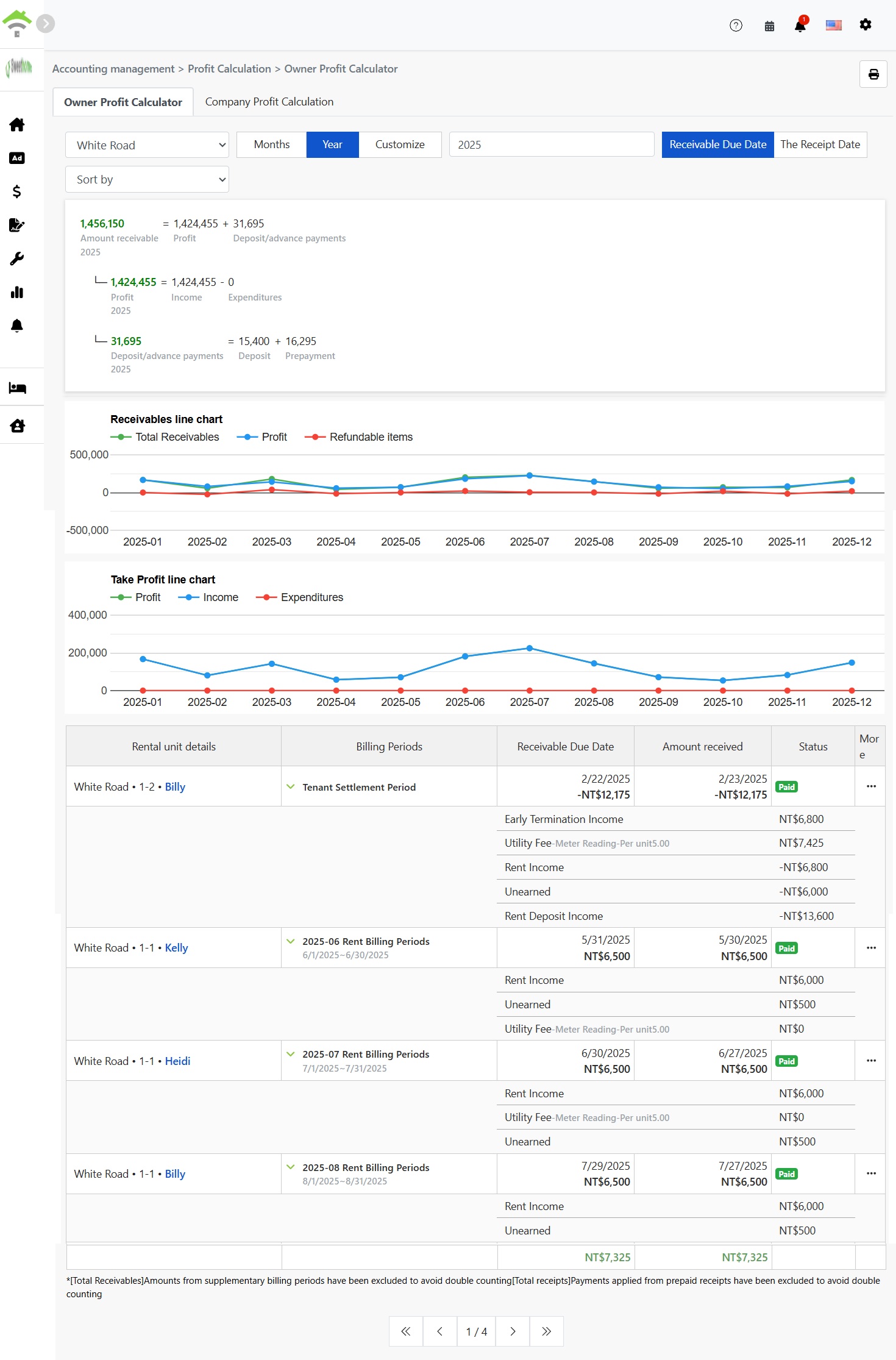
At the top of the page, the composition of the amount for the selected period is displayed as a formula:
- Receivables = Profit + Deposits/Prepayments: In receivables, only 'Profit' is the actual earnings; deposits and prepayments are amounts that may be refunded or pertain to future periods, hence they are listed separately.
- Profit = Income - Expenses: Total income minus total expenses for the selected period.
- Deposits/Prepayments = Deposits + Prepayments: Both are listed separately for ease of reconciliation.
5. Line Chart Explained
The page provides two line charts to quickly discern trend changes over each period:
- Receivables Line Chart: Shows total receivables, profit, and refundable items for each period, allowing comparison of how much of the receivables are actual profit.
- Profit Line Chart: Displays profit, income, and expenses for each period, showing income and expense trends.
6. Accounts Detail Table
Below the line chart, each billing period is listed with rooms, tenants, billing period, accounts receivable date, actual payments, and payment status.
Click the expand arrow next to the billing period to view [ itemized details ] such as rent income, utilities, prepayments, deposit income, and early termination income.