
Contract templates overview
Contract templates quick tour
Benefits of contract templates
Templates help you generate tailored contracts quickly, save typing, and avoid missing key clauses. Create multiple templates (e.g., tenant, owner, with pet clauses), and still edit after applying—very flexible.
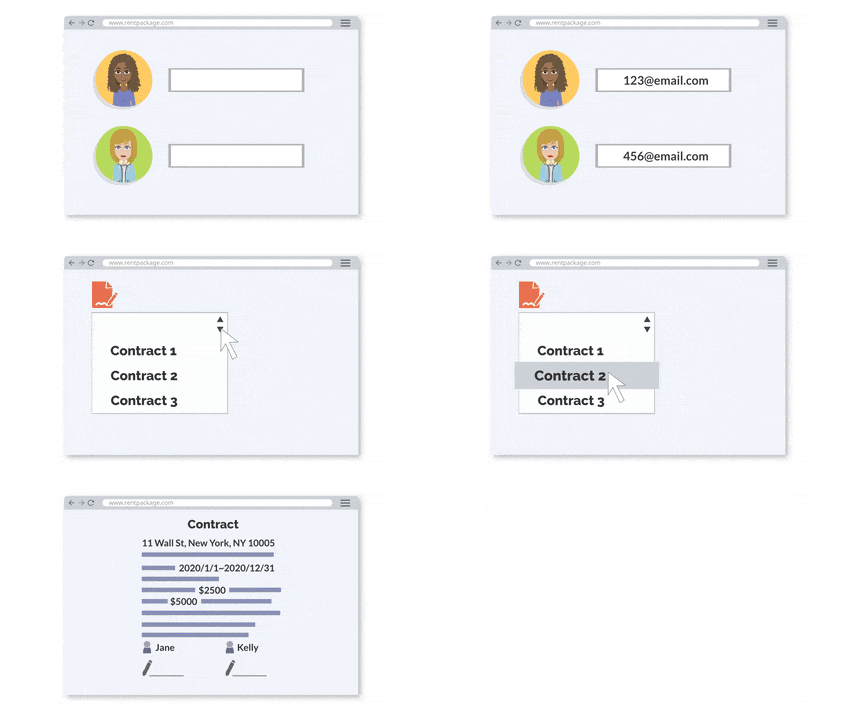
How to set up contract templates?
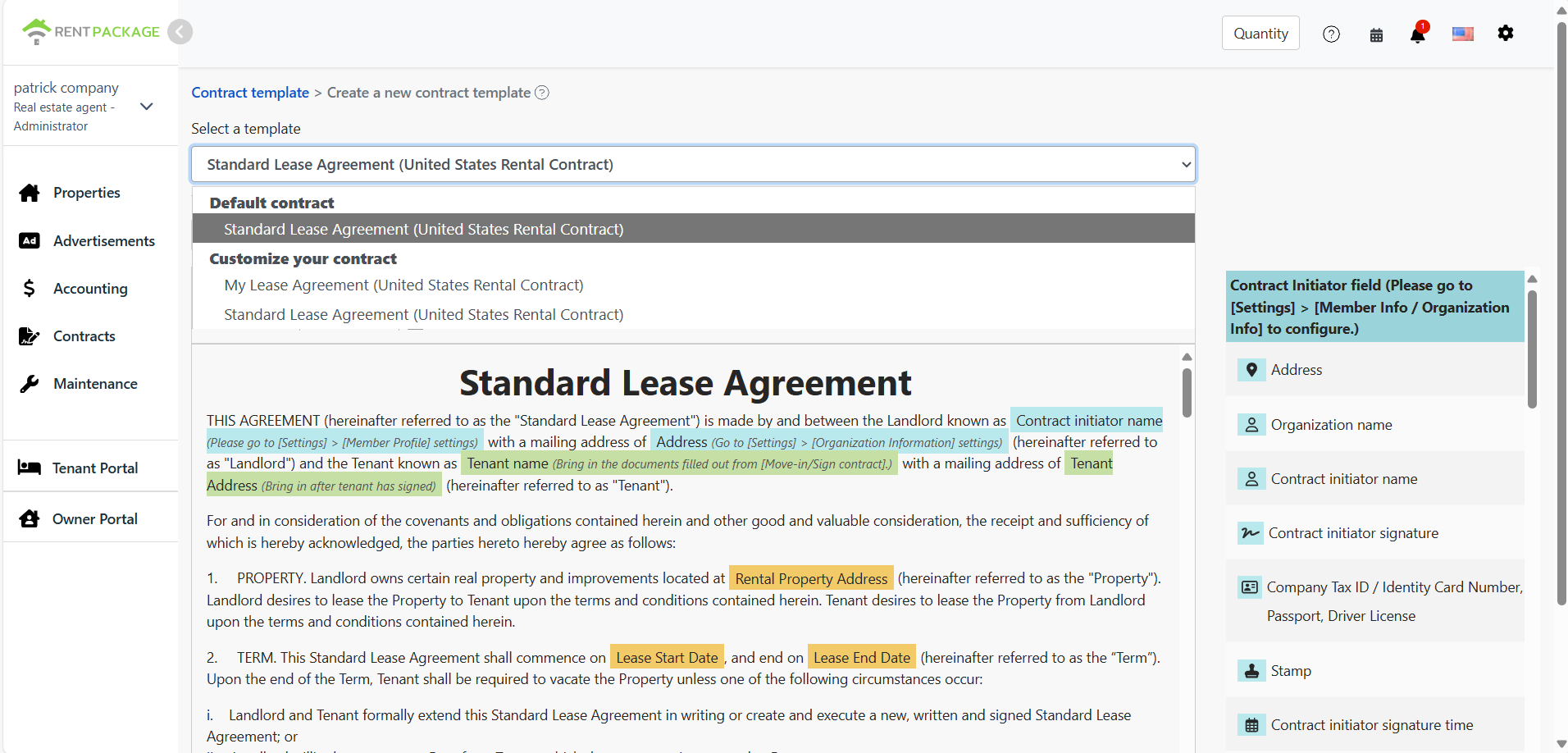
Go to [Contract Management] > [Contract Templates] and click Add in the top-right to open the editor.
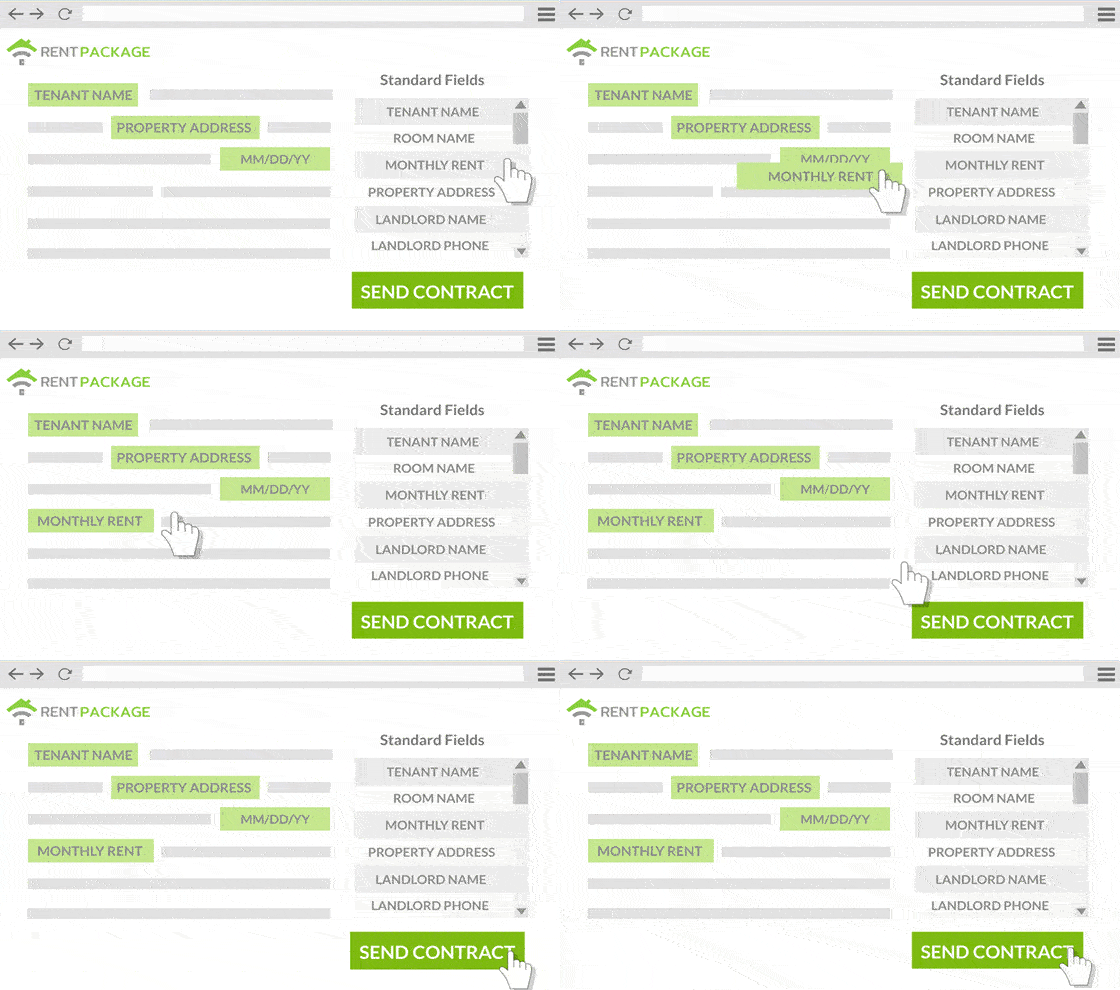
The editor has two panes: right for draggable variables (e.g., landlord name, rent, tenant signature), left for contract content where you edit text and insert variables.
Name templates clearly (e.g., “Royal Orchid Tenant Template,” “Oasis Garden Owner Agreement”) for easy identification and use.
About the draggable variable fields on the right
- Landlord fields:Pulled from Settings > Organization Info (e.g., registered address, company name, bank account, company seal)
- Tenant fields:Filled during tenant signing (e.g., tenant name, phone, address, e-signature)
- Additional signer fields:If there’s a co-owner/additional signer, they fill and sign during signing
- Contract fields:Populated at move-in/signing (e.g., rent, term, deposit, property address)
Tenants can use a handwritten e-signature or upload a signature image
How to use contract templates?
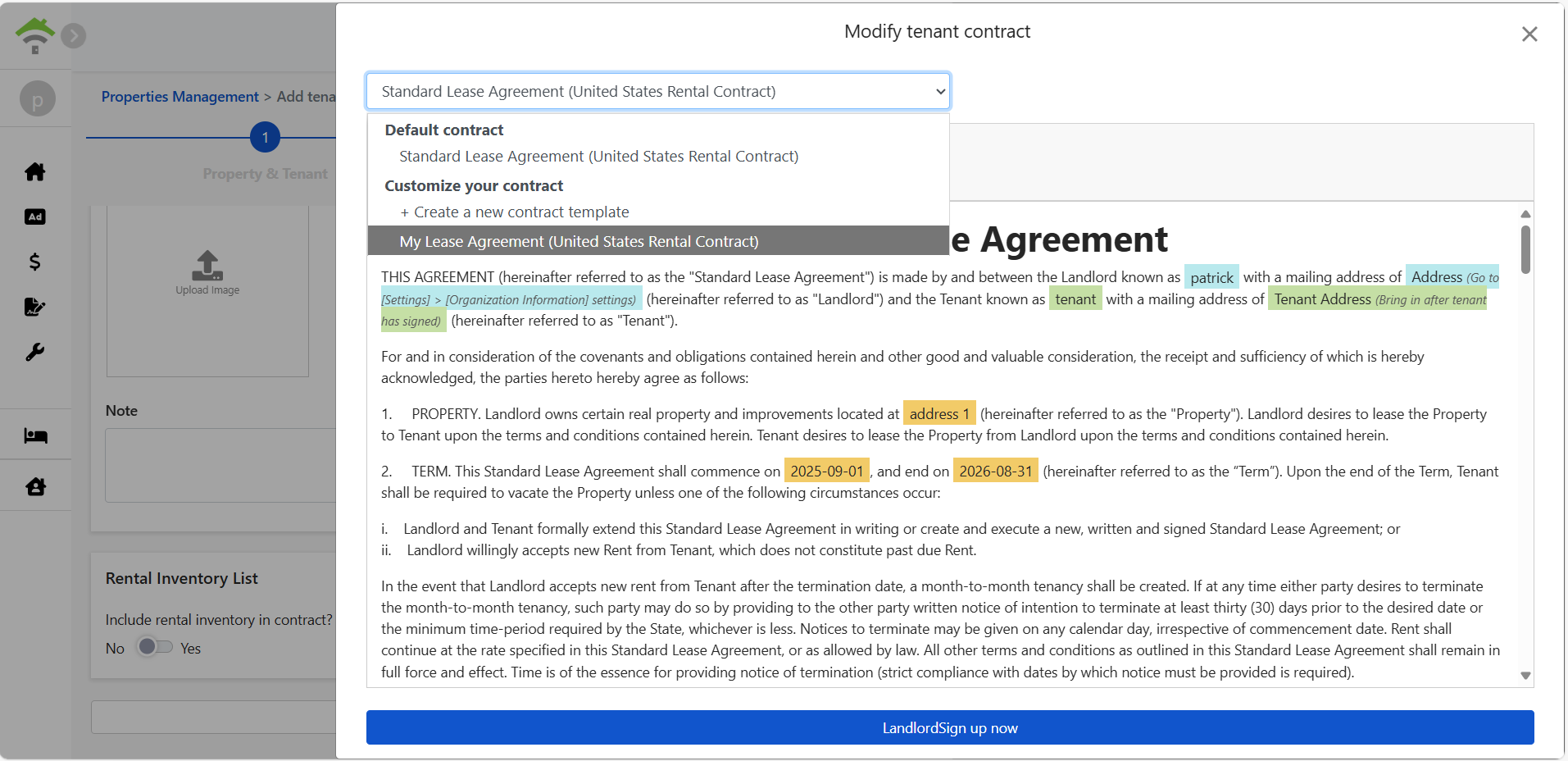
When creating a contract (e.g., new tenant contract, new owner contract, renewal) and choosing Online Signing, you’ll see Edit Tenant Contract or Edit Owner Contract.
Select your saved template from the dropdown; the system loads its content and fields. You can still edit after loading—no need to recreate.
Can I add a “pet clause”?
Absolutely. Add pet clauses to templates, for example:
Customize clause content to fit your management needs.
Template tips
- Templates are reusable; create versions for different parties.
- Content remains editable after applying and won’t affect the original.
- Remember to fill landlord-related fields in Settings > Organization Info first
- Include location and purpose in template names for quick identification