
[Owner Payout] The accounting power tool for property managers!
Owner Payout quick tour
- What are the pain points when managers handle owner accounting?
- How the Owner Trust Account works
- Owner Trust Account fund controls
- carry-forward operation process
- View and edit payout records
- deposit carry-forward and refund
- account opening income and historical balance
- owner portal audit feature
- nature of accounts and accounting perspective
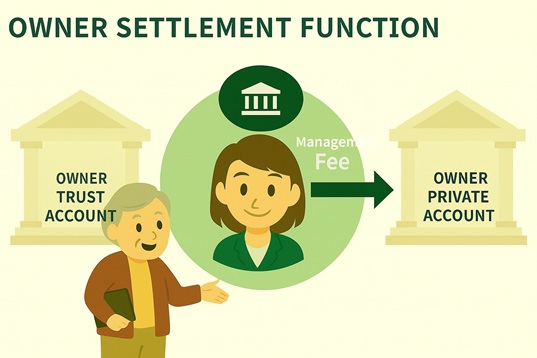
What are the pain points when managers handle owner accounting?
In leasing and management operations, after you rent a unit to a tenant on the owner’s behalf, you must first handle a series of accounting items, such as:
- Deductions Property management fee、Referral commission
- Payments Repairs and cleaning fees
- Management Security deposits paid by tenants
After settling these income and expenses, the remainder is what gets disbursed to the owner.
To keep records clear and funds separated, many managers first park all owner-related funds in the owner trust account. Then, at payout, transfer the amount due to the owner private account.
How the Owner Trust Account works
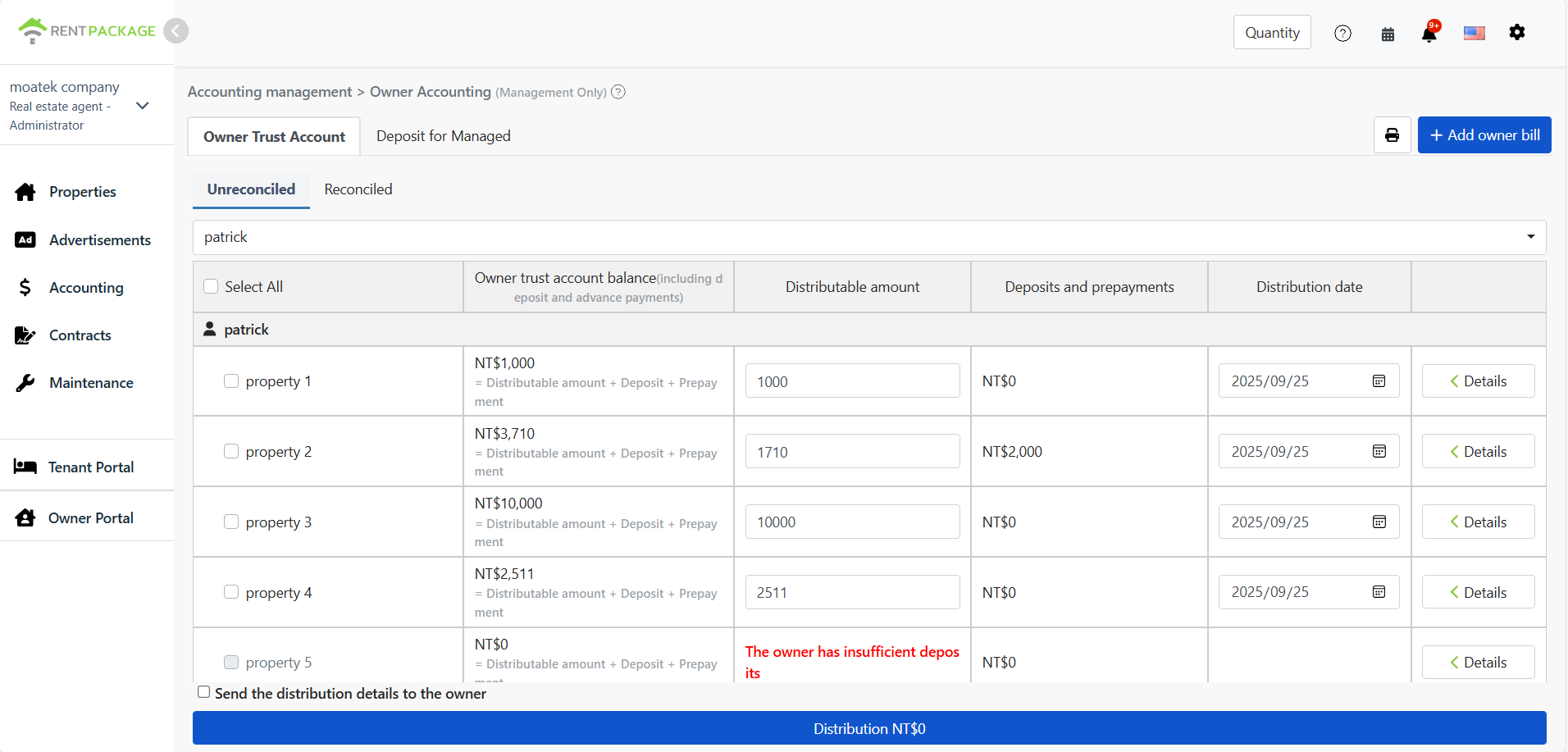
Our system uses the [Owner Trust Account] as a temporary holding account; all owner-related fund movements first go into the [Owner Trust Account]:
- Rent paid by tenants
- Security deposits paid by tenants
- Owner pre-funded reserve (e.g., OWNER CONTRIBUTION)
- Prior balance deposited at opening (e.g., OPENING BALANCE)
The screen shows in real time:
🧾 Our solution: clear separation of funds, peace of mind for owners
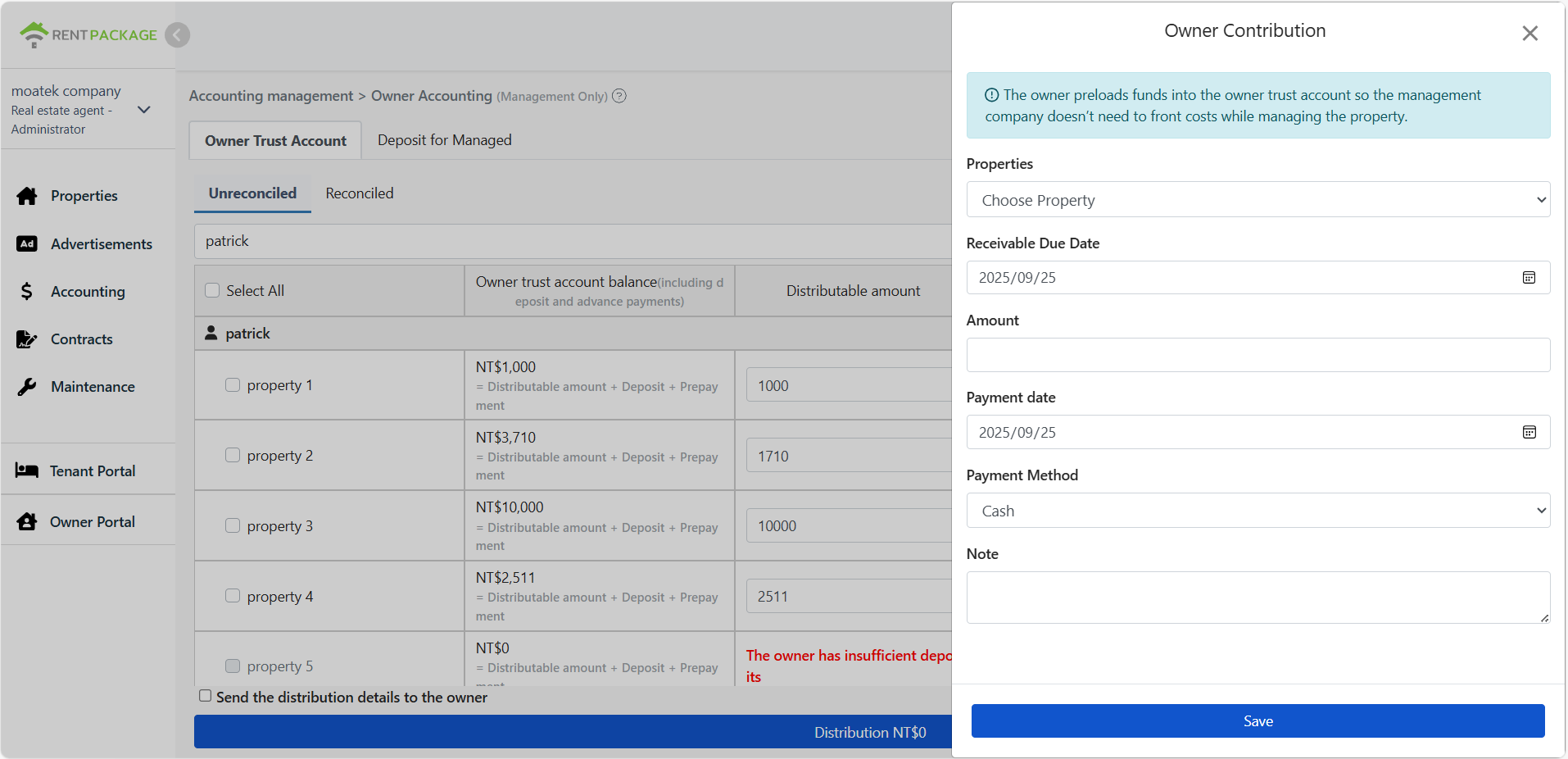
1. Owner Trust Account fund controls
Every owner has a 'Trust Account' to temporarily hold all related funds. If the account has no initial funds, the owner can add money via [Owner Deposit] (Owner Contribution) to avoid the manager advancing cash.
This deposit is recorded to the 'Asset account' and can be entered at: [Accounting] > [Owner Accounting] > [Add].
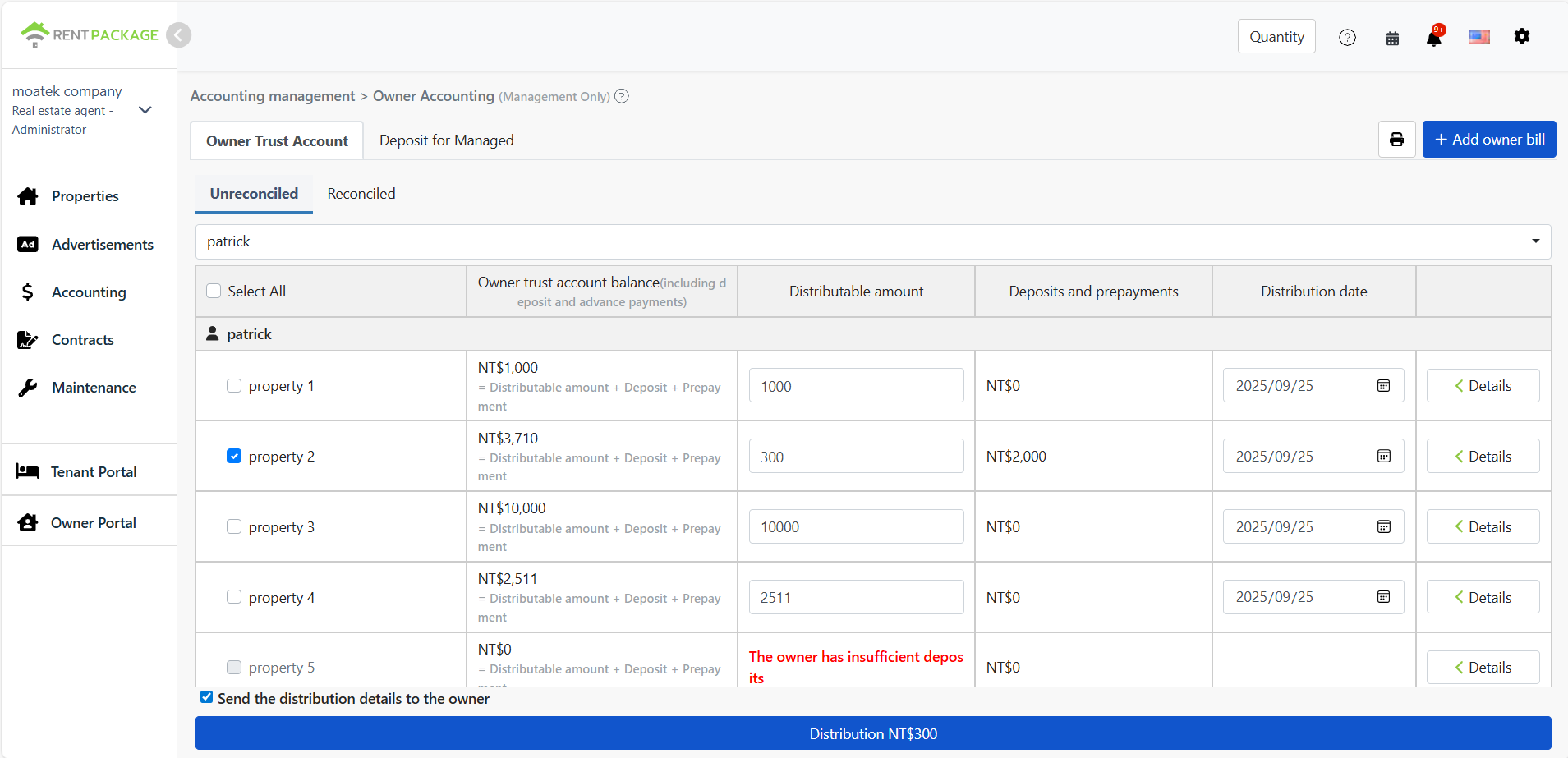
2. Payout workflow is clear and intuitive
- Go to [Accounting] > [Owner Accounting] > [Untransferred] tab
- Select the owner to pay out
- The system lists all properties and the 'Transferable amount'
- Click [Details] to adjust each property’s payout amount
- Check [Email payout details], then click [Payout] to finish
3. View and edit payout records
- After payout, you can find it under [Accounting] > [Owner Accounting] > [Transferred].
- To change or void a payout, you can edit or delete it directly; the accounting details update in sync.
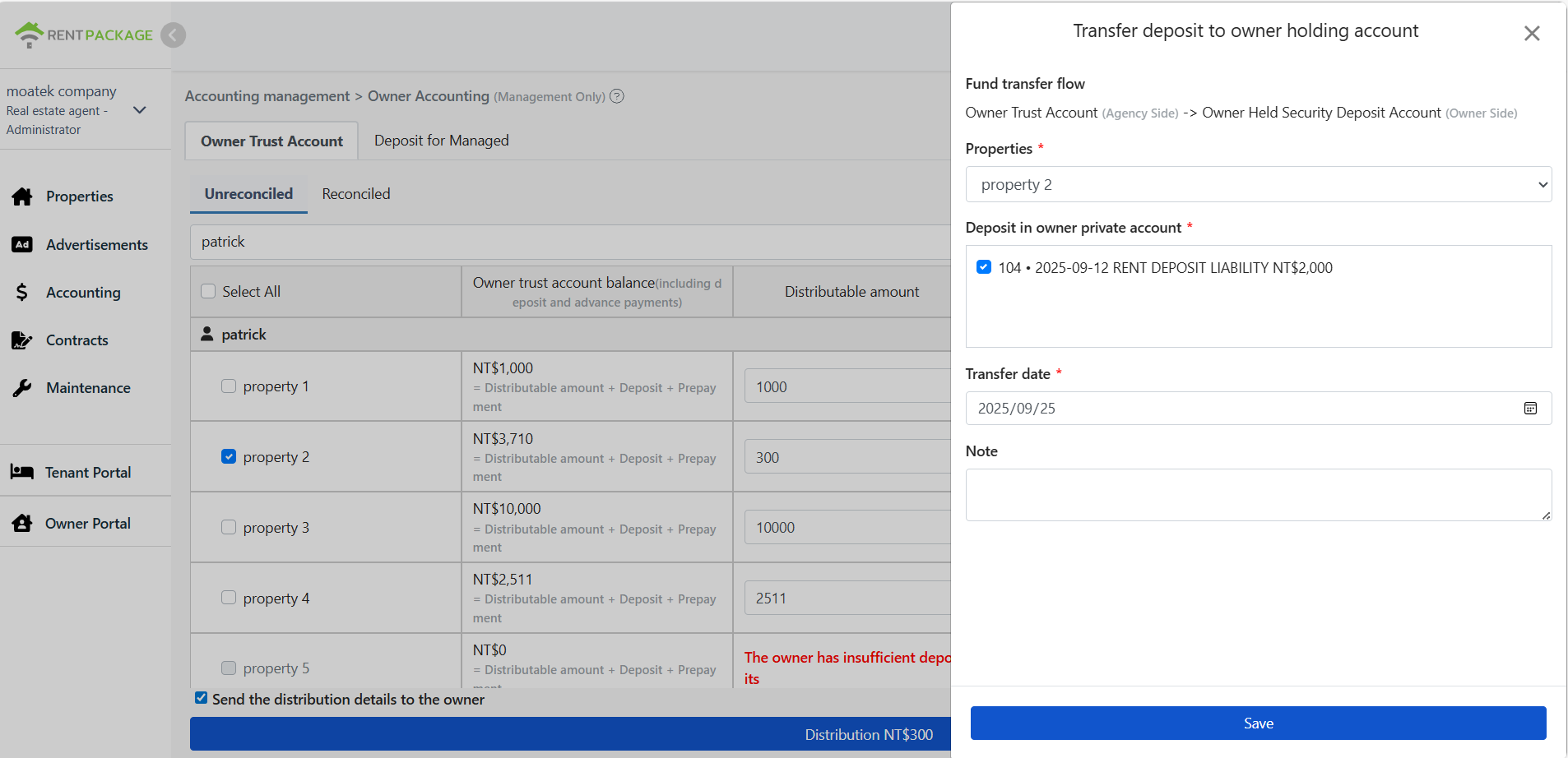
4. Supports 'deposit transfer' and 'return process'
In some countries, deposits must be placed in the Owner Holding Account. Our system supports:
- Transfer deposit into the Owner Holding Account
- Transfer deposit out to the Owner Trust Account
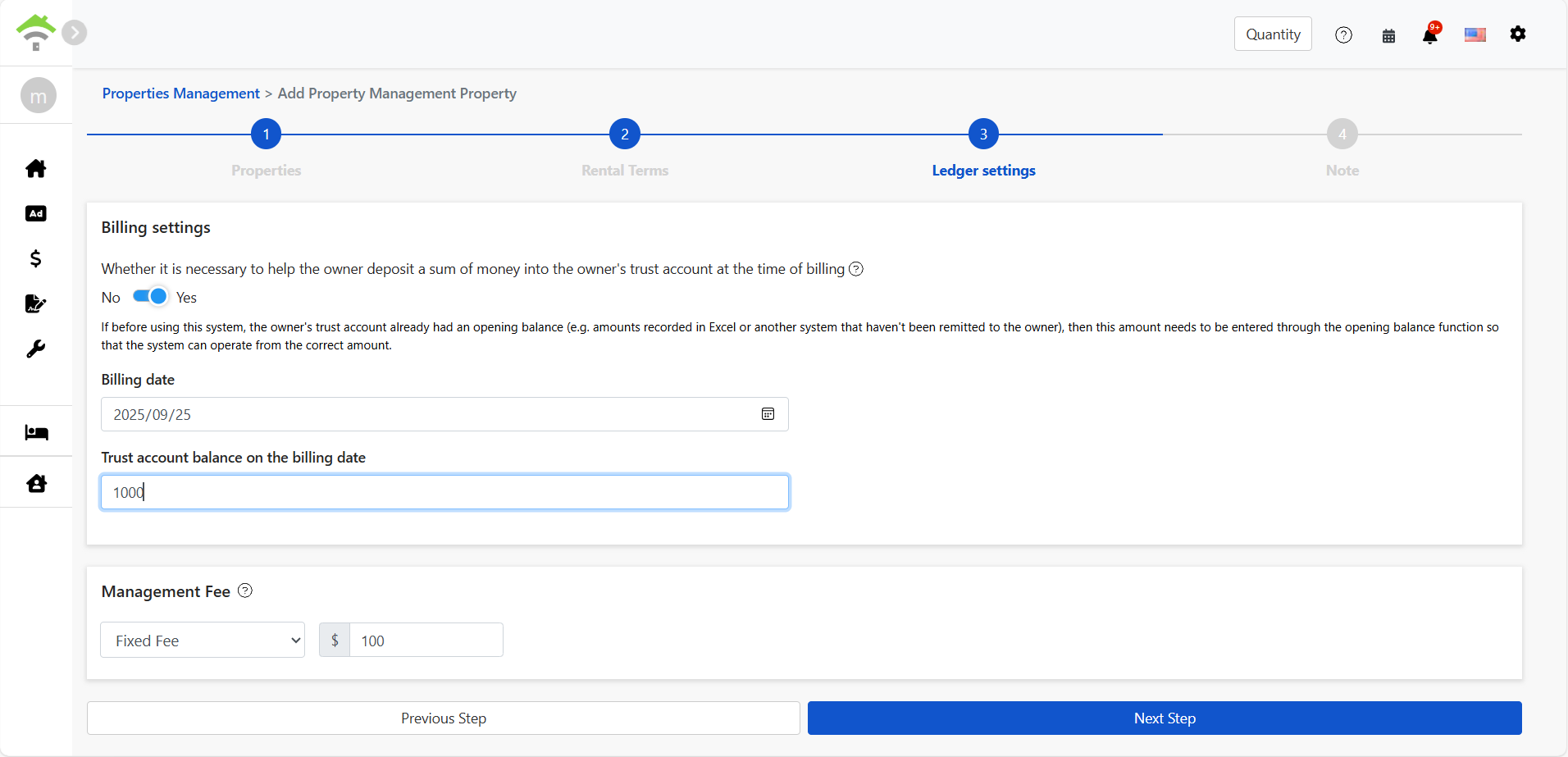
5. You can also record opening income and historical balances
During initial setup, if you have outstanding balances from a previous system, you can use 'Opening Income' in [Add Property/Contract] to record them into the Trust Account and establish a complete starting ledger.
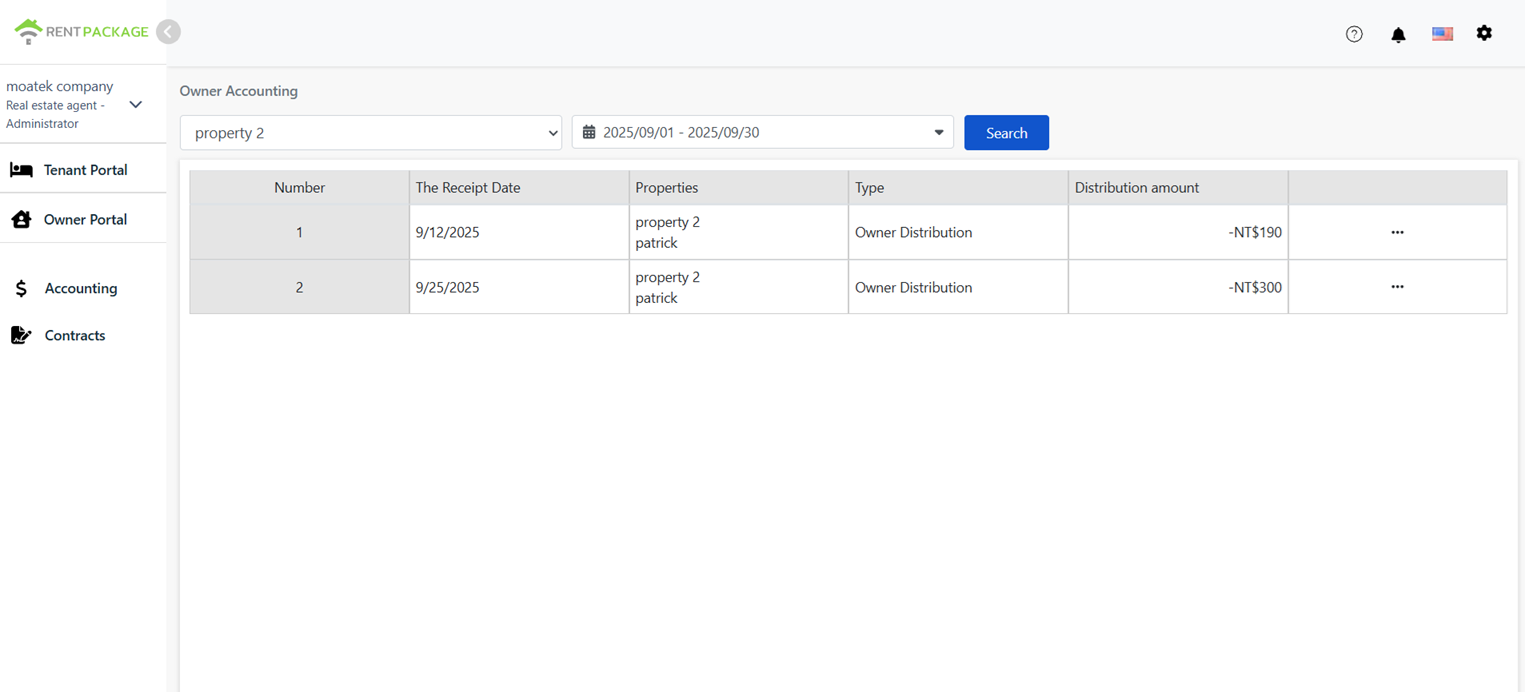
6. Owners can check their accounts anytime via the [Owner Portal]
We provide a dedicated owner login so they can view:
- Monthly disbursed amount
- Rent details and deductions
- Trust account and deposit balance
Additional notes: account types and accounting view
All owner-related fund movements (deposits, carryforwards, opening balances) are recorded as transfers between “Owner Trust Account (asset)” and “Owner Equity Account (equity).”
Follows chart-of-accounts logic; clear, well-classified records for easy reporting and audit.
💡Additional notes: The trust account is like a dedicated bank ledger for the owner, similar to the [Bank deposits] account in accounting (an asset). All owner-related funds (deposits, carryforwards, opening balances) move between this ledger and the “Owner Equity Account (equity)” for clear bookkeeping and reporting.