
 Support
RentPackage: Use your own AI – Landlords and Property Managers Ask ChatGPT or Claude to Check Rent and Prepare New Leases
Contents
Use RentPackage from the AI you already use
Don't want to open RentPackage? No problem. Connect RentPackage to the AI you already use, such as ChatGPT or Claude, and just say "Which tenants haven't paid rent this month?" or "Add a new property". The AI looks up the data or fills in what you want to create, and you click OK to finish.
- Already using ChatGPT for emails and research? Ask RentPackage in the same chat, no need to open another app.
- Out at a viewing with only your phone? Ask your AI and see which tenants haven't paid yet.
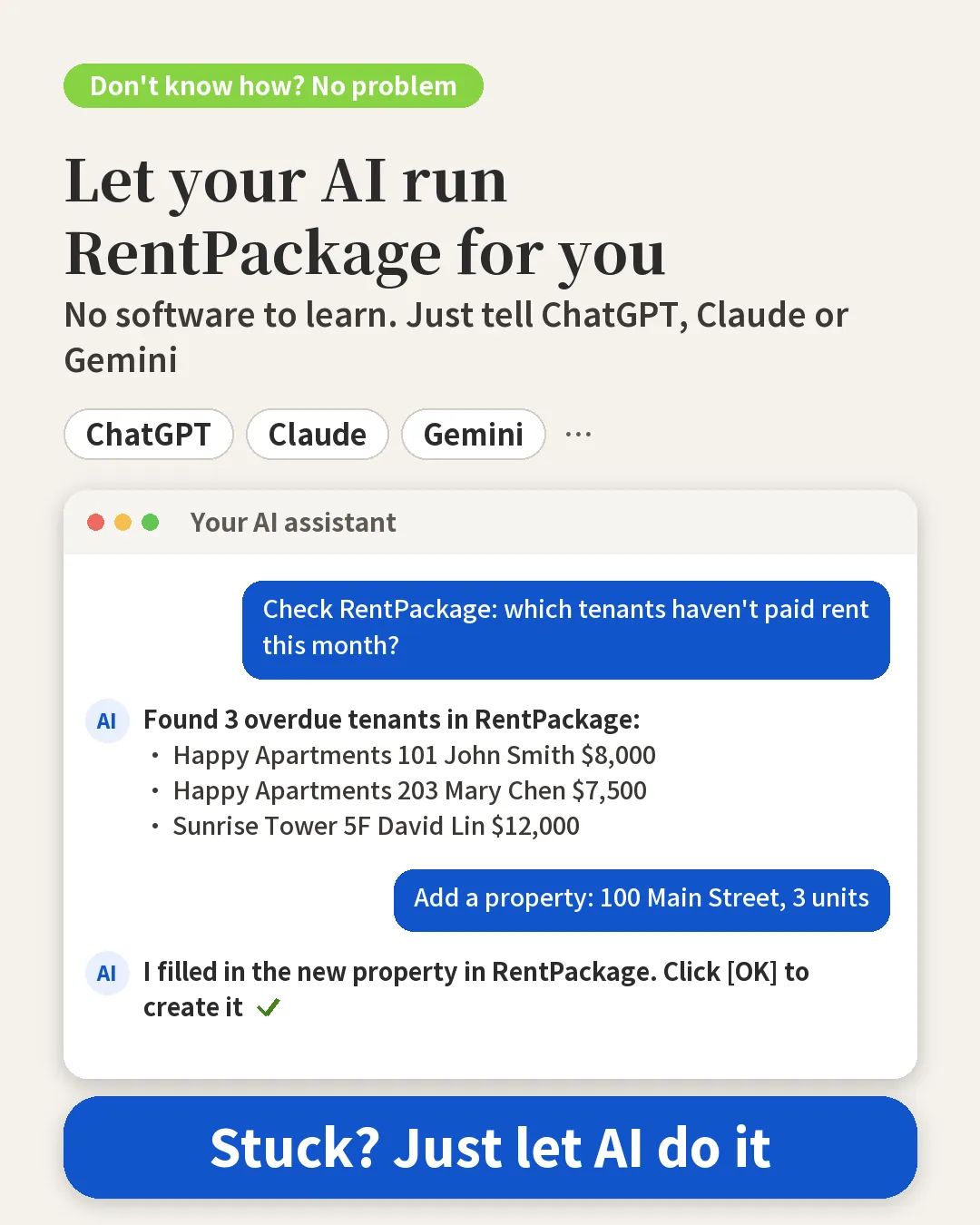
Connect RentPackage in Claude
- Open claude.ai, click your name at the bottom left → [Settings] → [Connectors].
- Click [Add custom connector], enter RentPackage as the name and https://www.rentpackage.com/mcp/index.php as the URL.
- Click [Connect]. You go to the RentPackage authorization page: sign in, choose your company and click [Allow].
- Start a new chat and ask "Which tenants in RentPackage are overdue this month?"
Connect RentPackage in ChatGPT
- Open chatgpt.com, click [Plugins] in the left menu, then [New] → [Add custom MCP server] at the top right.
- Name: RentPackage, Server URL: https://www.rentpackage.com/mcp/index.php, Authentication: OAuth. Tick [I understand and want to continue] and click [Create].
- Click [Continue to RentPackage]. The RentPackage authorization page opens: sign in, choose the company and click [Allow].
- In the chat box type @RentPackage, pick it, then ask "Which tenants are overdue this month?"
Custom MCP servers need a paid ChatGPT plan (Plus or above); for a company workspace, ask the admin to allow it first.
Connect RentPackage in Gemini
Gemini on the web does not yet let you add a custom connector. We will add the steps here once it does.
Is your data safe?
To connect, you sign in to RentPackage and approve access. The AI can only see and act on data your account has permission for (the properties you watch), the same as the AI assistant inside RentPackage.
How does it work once connected?
- You ask a question in ChatGPT or Claude.
- The AI asks RentPackage for the data, using the access pass it received when you signed in. RentPackage checks that it's you and only answers with data you have permission to see.
- The AI organizes the results and replies to you.
RentPackage never sends your data to the AI on its own. It only answers requests that come with a valid access pass.
FAQ
Will the AI change my data on its own?
No. When something needs to be added or changed, the AI only prepares it and gives you a link. The link opens a RentPackage page with the fields already filled in; you check it and click OK yourself.
After connecting my own AI, can I still use the AI assistant inside RentPackage?
Yes, you can use both. Inside RentPackage, ask the AI assistant at the bottom right; outside, ask in ChatGPT or Claude. The data you can look up and your permissions are the same.
How do I disconnect if I no longer want to use it?
Go to the connector settings in ChatGPT or Claude and remove RentPackage. The AI will no longer ask RentPackage for data.
Summary
Today, when someone asks you while you are out which units haven't paid rent, you have to open RentPackage and check one by one. Once you connect the AI you already use, one question in ChatGPT or Claude gives you the answer. To add a lease or a property, the AI fills it in for you; you open it, check it and click OK.
Paste the Connector URL into Claude or ChatGPT, sign in to RentPackage, then try asking “Which tenants are overdue this month?”
Try RentPackage for freeRelated articles
- RentPackage AI Assistant Pach: Landlords and Property Managers Unsure How It Works? Just Ask, and Pach Clicks, Fills In Leases and Records Expenses for You:RentPackage’s built-in AI assistant: when you’re not sure how to do something, just ask and it clicks for you.
- RentPackage Add Lease: Set the lease term, deposit and utilities in one go, and billing periods are generated automatically.:The full guide to adding leases and importing existing tenants.